
User management
User group management shortcuts
The User Group menu provides shortcuts to many functions on the system.
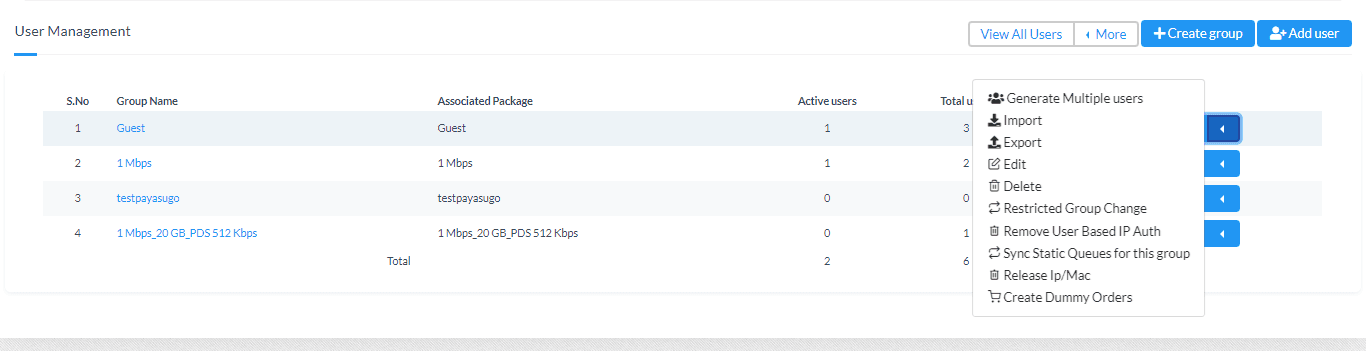
- Generate Multiple Users: Creates multiple users with random username and password.
- Import: Allows to import users from excel or csv.
- Export: Allows to export all users to a csv.
- Edit: Allows you to change the name of the group.
- Delete: Deletes the entire group and the users in it.
- Restricted Group Change: Allows you to define if the users in the particular group can move to which set of groups.
- Remove User Based IP Auth: Allows you to remove IP based authentication configured on a per-user basis.
- Sync Static Queues for this group: Allows syncing statically created queues through the Mikrotik API.
- Release IP/MAC: Clears the IP and MAC fields for all users in the group.